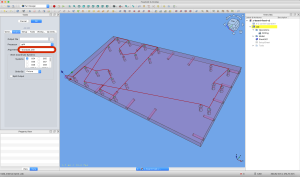
Bohren mit FreeCAD und GRBL
11
Feb
Nur so als Gedankenstütze: In den Preferences von FreeCAD sollte bei Path/GRBL als Vorgabe --translate_drillstehen (oder als Argument ... Read More »
You are visiting entirely the wrong websites.
Nur so als Gedankenstütze: In den Preferences von FreeCAD sollte bei Path/GRBL als Vorgabe --translate_drillstehen (oder als Argument ... Read More »
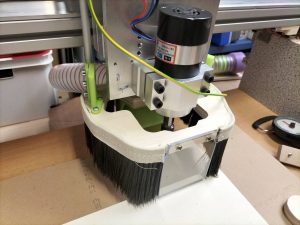
Seit Anfang Dezember ist die Fräse endlich mit allen Schaltern verdrahtet und findet ihren Startpunkt automatisch (inklusive selbst-ausrichtender ... Read More »
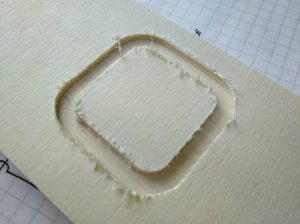
Ja, sie tut endlich! Noch fehlen die Y-Endstopp-Schalter, aber zum ersten Mal gibt’s Späne unter Computerkontrolle:
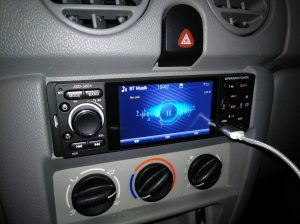
Zeit für neue Mobilmusik: Das vorherige 40-Euro-Autoradio hat leider den Reparaturversuch nach Bluetooth-Verlust nicht überstanden (eine wackelige Lötbrücke ... Read More »
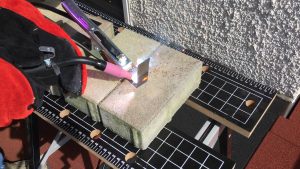
Nach Jahrzehnten des Abwartens war heute der erste Tag, an dem ich zwei Blechstücke zusammengeschweißt habe. Es funktioniert ... Read More »
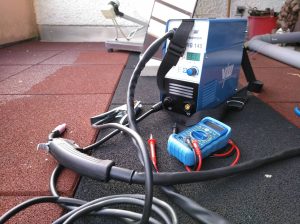
Ein kleines Fülldraht-Schweißgerät. Bin noch nicht dazu gekommen, irgendwas außer einem ersten kurzen Britzeln zu produzieren. Aber es ... Read More »
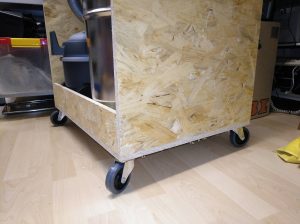
Lastrollen vom Supermarkt-Sonderangebot-Möbelroller sind in der Summe billiger als ohne das zusätzliche Brett … und die Befestigung mit ... Read More »
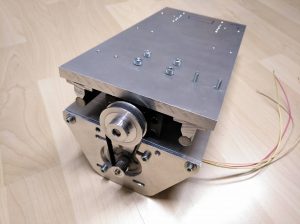
Mit freundlicher Unterstützung durch M.M. der mir die Motorplatten-Langlöcher auf seiner eigenen Fräse aus der hochreinen Aluminium-Platte fräste, ... Read More »
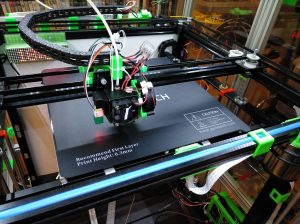
Überraschend fix war heute zwei Mal Post vom Lieferdienst mit den geflügelten Beinen da: Ein Bluetooth-Adapter, der von ... Read More »
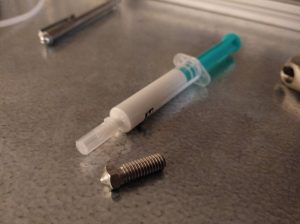
Es kam ein Päckchen, wo ich eigentlich nur ein Kuvert erwartet hatte: Im leichtgewichtigen Schuhkarton befand sich genau ... Read More »